Join free
Is this your project? @hatooomlaski was imported — claim it to take it over. Claim it →
Productivity

Field Ledger

A todo list styled like a paper day-book: file each task on an intake slip, stamp it with a due date, cross it off in the ledger.

By hatooomlaskiAdded 3 months ago · 2 reviews
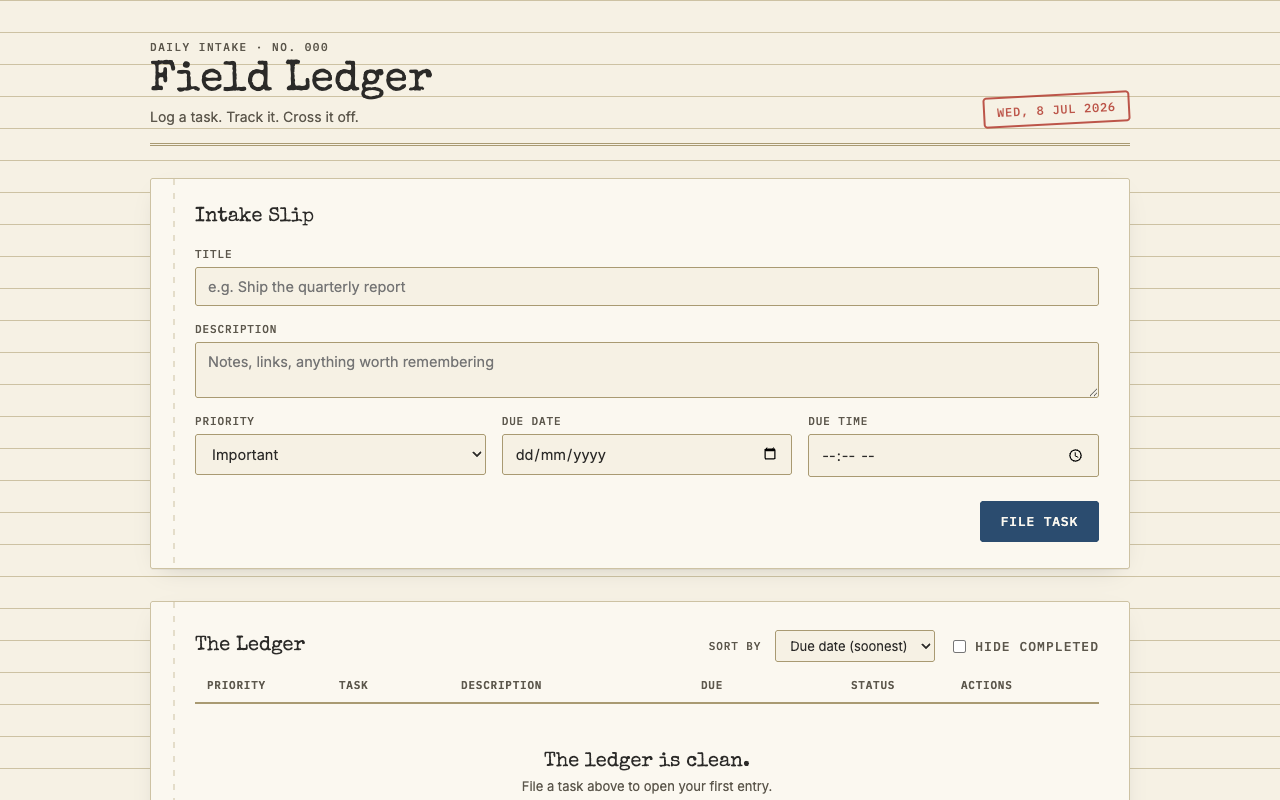
Field Ledger — screenshot
Why it exists

Field Ledger treats your todo list like a clerk's day-book. New tasks go in through an intake slip with a title, notes, priority and a due date; filed tasks land in the ledger, where you sort by due date or priority, hide the completed ones, and cross entries off with a proper line-through.

The whole thing is typewriter type on ruled paper, down to the red date stamp in the corner. No account, no sync, just a ledger in a browser tab.

2 Reviews

Community feedback

Log in to leave a review.

mia_printsMember review2 months ago

I kept the newsroom wallchart for years, so a todo list dressed as a clerk's day-book had me at the masthead. Tasks enter through an intake slip with notes, priority and a due date, then sit in the ledger until you cross them off with a proper line-through. The red date stamp in the corner is the detail that sold me. Typewriter type on ruled paper, one browser tab, nothing to sign into and nowhere to sync. It will not run your sprint board, and I mean that kindly.

callum_reesMember review3 months ago

Most todo apps want an account and a phone app before you can write anything down. This one feels like the paper day-book I kept on site, red date stamp and all. Filed six tasks, crossed off four. Sorting by priority still shuffles same-day tasks about, which would have got me shouted at on a real site, but I will keep using it.